

A creator page gives a brand one clear place to understand who you are, what you create, how it can work with you, and what to do next.
It can sit in your Instagram bio, email signature, pitch message, or media kit. Instead of asking every interested brand to begin with an unstructured DM, you can collect enough campaign context to decide whether the opportunity fits.
Creator page or media kit?
A media kit and a creator page can support the same conversation, but they are not exactly the same.
A traditional media kit is usually a PDF or slide deck. It is useful when a brand wants a document it can download, forward internally, or keep with campaign planning files. A creator page is a live link. You can update it without resending a file, share it anywhere, and give the brand a direct collaboration action.
You do not have to choose only one. A simple approach is:
- use the creator page as the current, shareable source of truth;
- add your strongest positioning, services, and links there;
- keep a downloadable media kit for brands that specifically request one;
- update both when your audience, rates, work, or availability changes materially.
The page should help a brand make a better first decision. It does not need to contain every private statistic or commercial term.
What a useful creator page should include
Start with the information a brand needs before it asks for a call or detailed proposal.
A clear creator identity
Use the name brands know you by, a current image, and a short headline that explains your content rather than simply saying “content creator.”
For example:
Maya Kapoor creates practical beauty routines and everyday lifestyle stories for young professionals.
That tells a brand more than a list of broad labels. Your bio can then explain your style, audience context, location, and the partnerships that fit naturally.
Relevant channels and niches
Link only the channels or portfolio destinations you want a brand to evaluate. Add focused niches such as beauty, food, fitness, finance, technology, travel, or parenting.
If you include a follower count, keep it current and label self-reported figures honestly. A raw follower number does not replace audience quality, content fit, or previous work.
Ways to collaborate
Describe specific formats a brand can ask about, such as:
- one sponsored Instagram Reel;
- a three-Story product sequence;
- a UGC video for the brand's own channel;
- a Reel and Story package;
- a YouTube integration;
- event or location coverage.
Each service should answer what the brand receives. You can show a fixed rate, a starting rate, or ask the brand to request a quote. Starting rates can reduce unsuitable inquiries, while hidden rates give you more room when usage rights and scope vary widely.
Collaboration preferences
Say whether you are open to paid work, barter, or both. This is a starting signal, not an automatic acceptance of whatever a brand submits.
If barter is acceptable only for certain products or values, explain that during the conversation before agreeing to deliverables.
A specific next action
Avoid ending with five competing buttons. Give the brand one primary action, such as:
- Propose a collaboration
- Share a campaign brief
- Discuss a collaboration
- Request availability
The button text should match what happens next. It should not imply that a campaign is already approved.
Build the page in brandmay.studio
Open Settings, then Public creator page. Choose your public URL and complete the identity, channel, experience, service, and collaboration-preference fields.
Save the page privately while it is incomplete. When the essential details are ready, switch on Public page and use Save and publish. Your shareable link follows this format:
brandmay.studio/c/your-nameUse a short, recognizable slug that you can keep. Your creator name or public handle is usually easier to remember than a campaign-specific phrase.
Choose a layout that fits your work
The content matters more than decoration, but the layout should support how a brand scans your work.
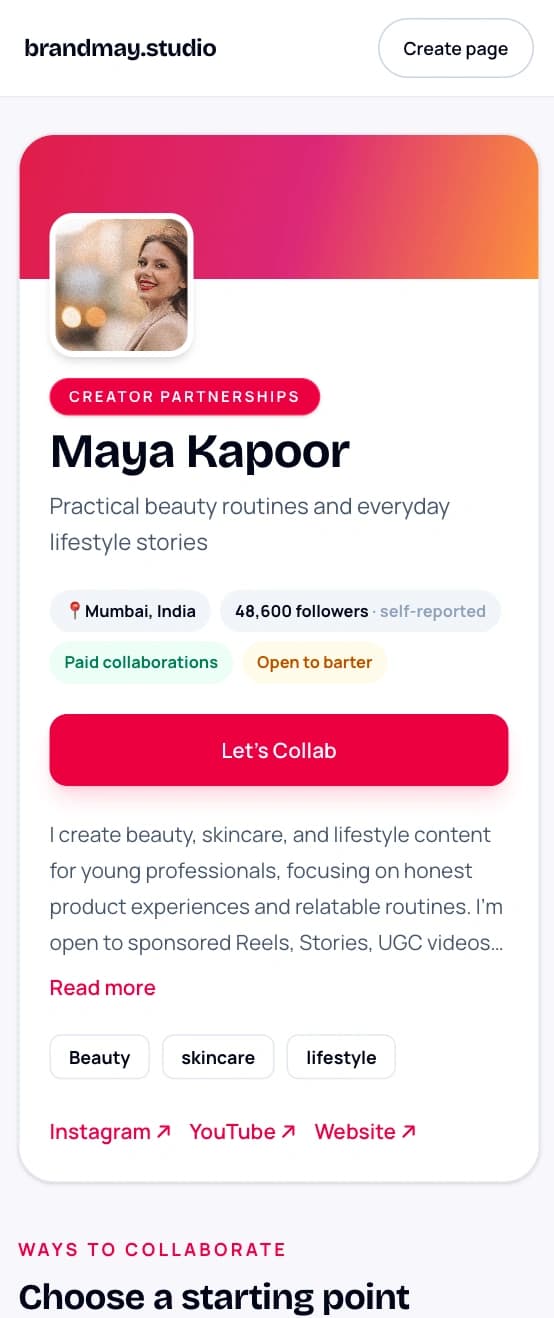
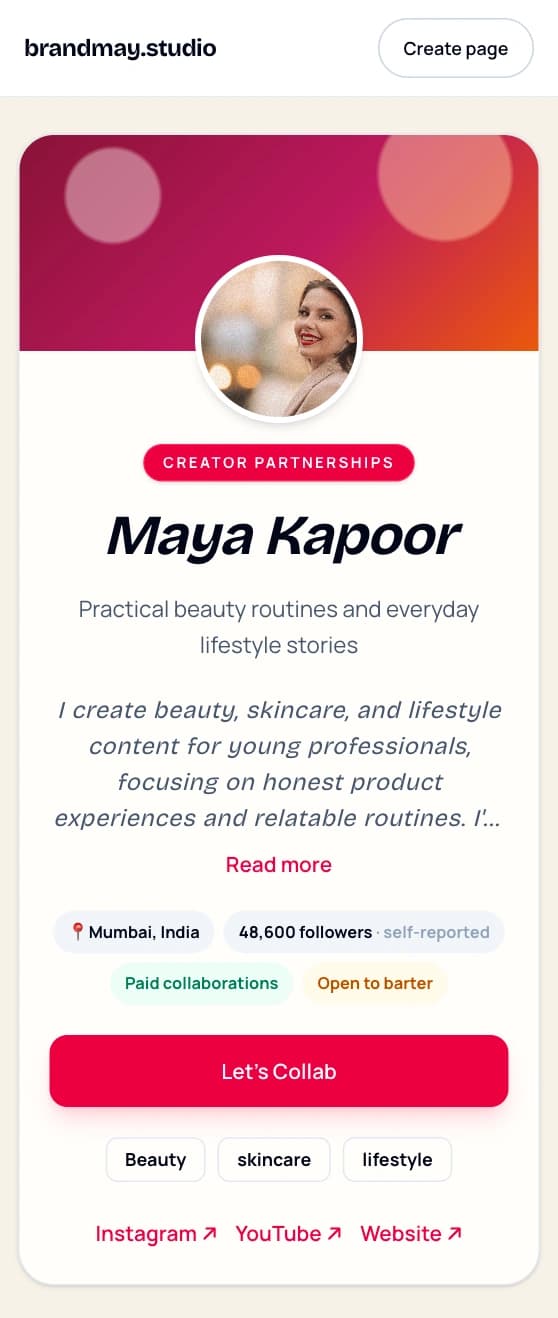
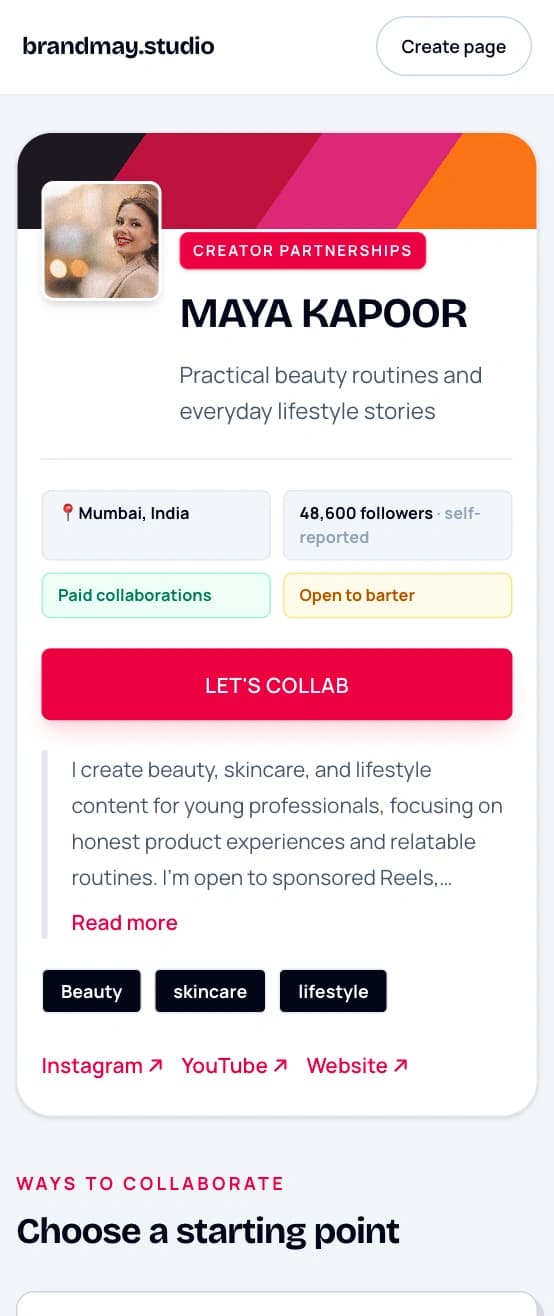
Classic, Editorial, and Media Kit are included on the Free plan, along with the existing accent choices. Choose the layout that best matches how you want brands to scan your work.
Creator Pro adds two presentation choices:
- Editorial uses a softer, story-led treatment suited to lifestyle, beauty, food, travel, and other personality-led work;
- Media Kit uses a sharper, more structured treatment that makes collaboration formats and service cards feel prominent.
Pro adds advanced cover treatment, custom collaboration-button copy, detailed traffic attribution, and the option to remove BrandMay attribution. Your selected template and basic colour remain available if Pro ends.
The selected template and accent continue through the collaboration inquiry form, so the page feels like one experience rather than a styled introduction followed by a generic form.
Choose for readability and fit, not novelty. A brand should still understand your offer within a few seconds. Check the page on mobile because many brand contacts will open it directly from Instagram, WhatsApp, or email.
Classic
Editorial
Media Kit
What the brand sees and submits
The public page shows only the information you chose to publish. It does not expose your private campaigns, payments, invoices, notes, or email account.
An interested brand can send a structured inquiry with:
- brand and contact details;
- campaign goal;
- requested deliverables;
- paid, barter, mixed, or discuss-later compensation context;
- optional budget range;
- timing, usage-rights, and exclusivity context;
- an additional message.
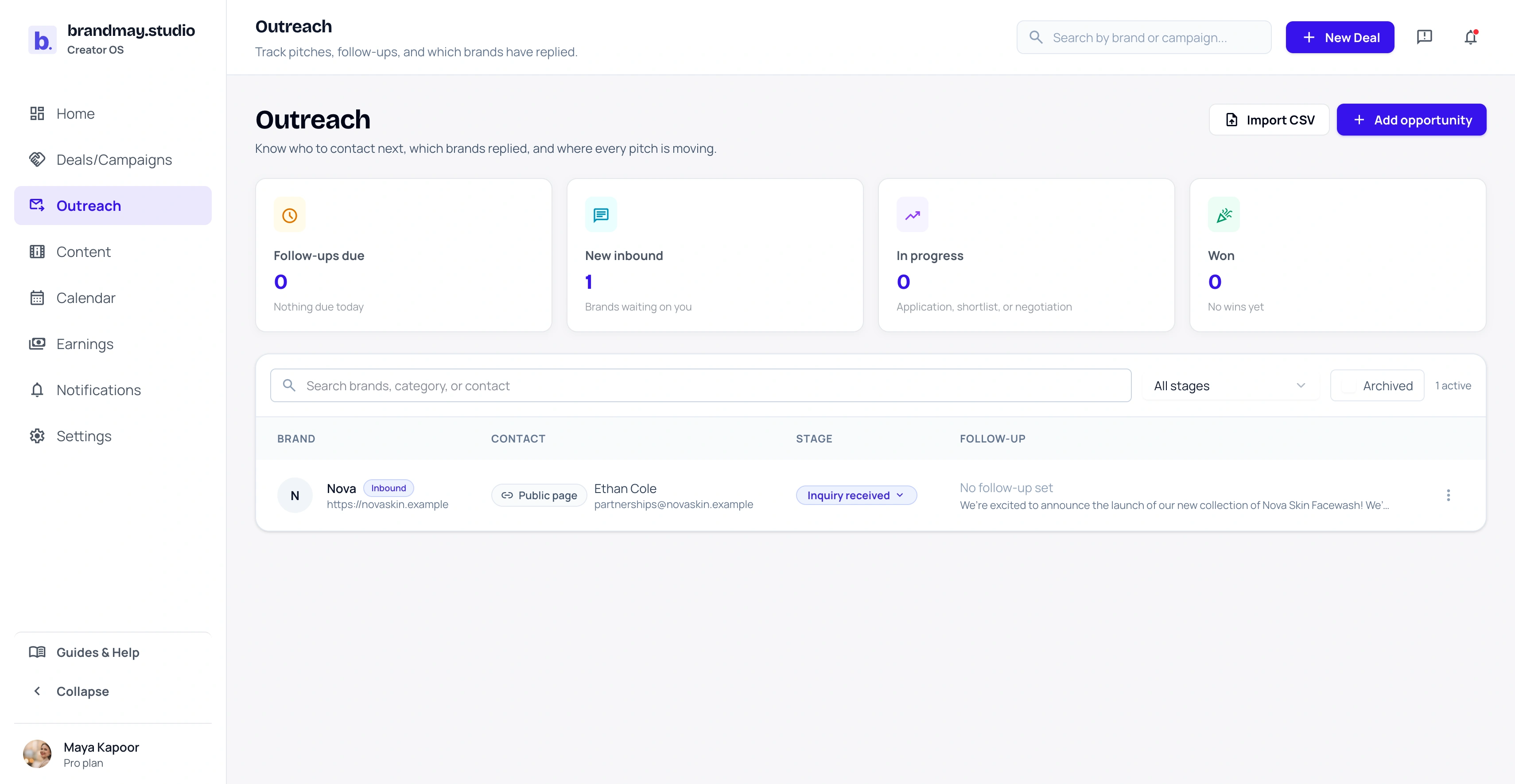
Submitting the form does not create a campaign, accept a deal, or confirm terms. It creates an Inquiry received opportunity in your Outreach tracker and sends you a notification. You can review the fit, contact the brand, negotiate, and convert it into a campaign only when the collaboration becomes real.
Review the page before sharing it
Open the published link in a private browser window and check:
- Your name, headline, image, and location are correct.
- Every social and website link opens the expected destination.
- Service names make sense to someone who has never spoken with you.
- Rates and currencies are intentional.
- The collaboration button reaches the inquiry form.
- The page remains readable on a phone.
- The inquiry form asks for enough context without requiring a long application.
Do not publish confidential campaign terms, private brand contacts, screenshots of private analytics, or work you do not have permission to display.
Where to share your creator page
Use the same stable link wherever a relevant brand might evaluate your work:
- your Instagram or TikTok bio;
- the website field on a social profile;
- a creator email signature;
- a direct pitch after your short introduction;
- a WhatsApp conversation when a brand asks for details;
- your media kit or portfolio;
- a QR code on an event card, if that suits your work.
Do not drop the link without context in cold outreach. A short, specific pitch still matters. The page supports the conversation by answering common questions and collecting the next layer of information.
Creator Page settings show seven-day views and completed inquiries on Free. Pro adds visitor, form-start, conversion, and traffic-source detail across 7, 30, or 90 days. It also creates tracked links for placements such as an Instagram bio, WhatsApp conversation, or email signature.
A tracked Instagram bio link may look like:
brandmay.studio/c/maya?utm_source=instagram&utm_medium=social&utm_content=link_in_bioSome social apps append their own long click identifier when a visitor opens the link. brandmay.studio ignores those identifiers and retains only normalized UTM labels and the referring hostname for creator-page analytics.
Keep it current
Review the page when your niche, audience, channels, services, rates, location, or collaboration preferences change. Remove services you no longer want to sell and links you no longer maintain.
A smaller accurate page is more useful than an impressive-looking page with outdated information.
Next step
Create the first version with your current name, headline, best channel, and one collaboration service. Publish it, open it on your phone, and share it with one brand contact who already knows your work.
Related guides:
Your next action
Give brands one clear place to understand your work.
Publish your creator page, check it on mobile, and share the same link wherever brands discover your work.